

Download Swing it Viewer – Free Sports Viewer for Mac
Overview of Swing it Viewer
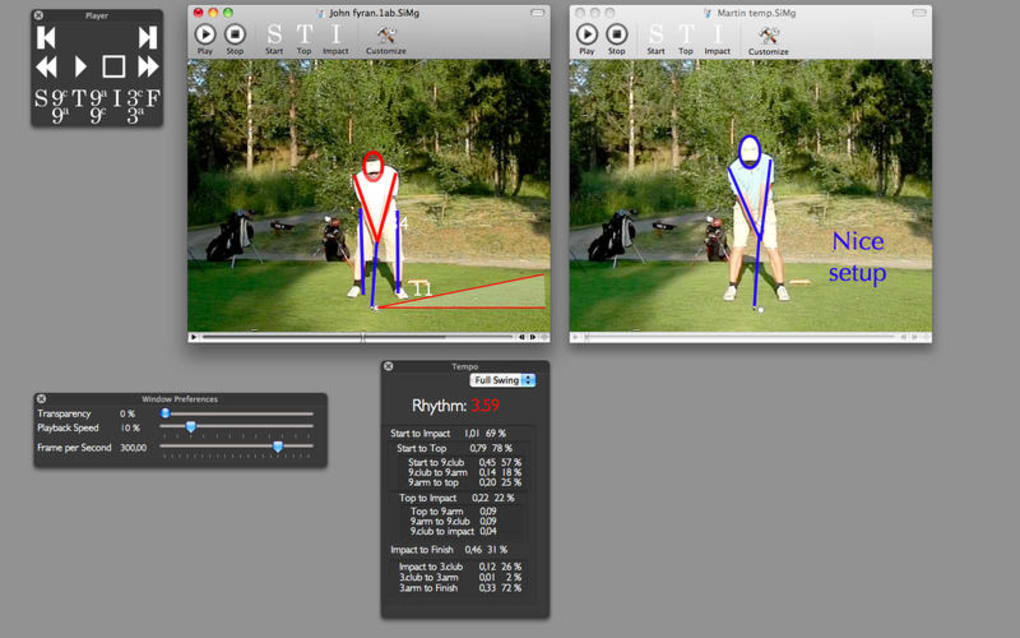
Swing it Viewer is a lightweight, free program designed specifically for macOS users who love to follow live sports, scores, and match statistics. Developed by the Swedish software house FKE Datakonsult AB, this application belongs to the Sports category and provides a clean, English‑language interface that lets fans keep an eye on their favorite games without the clutter of ads or unnecessary features. The tool is built to run smoothly on modern Mac computers, offering a secure download experience and regular updates that keep the data streams reliable and the UI fresh.
Whether you are a casual viewer looking for quick score checks or a die‑hard fan who wants detailed play‑by‑play breakdowns, Swing it Viewer aims to be the go‑to companion for sports enthusiasts on the Mac platform. Its primary focus is on delivering real‑time information quickly, while also allowing users to customize which leagues or events they want to follow. The application is completely free, which makes it an attractive alternative to paid sports‑tracking solutions that often come with subscription fees.
By keeping the software free and open‑source‑friendly, FKE Datakonsult AB encourages community feedback, helping the app evolve based on real user needs. Overall, Swing it Viewer stands out as a secure, easy‑to‑install, and regularly updated sports viewer that respects the macOS ecosystem and its users.
Core Features & Benefits
- Live score updates for major sports such as football, basketball, tennis, and cricket.
- Customizable dashboard allowing you to select your favorite leagues, teams, or tournaments.
- Real‑time push notifications for goal alerts, match starts, and final results.
- Low‑resource consumption – the app runs in the background without slowing down your Mac.
- Secure, encrypted data connections to ensure that the information you receive is accurate and tamper‑free.
- Free of advertisements, providing a clean and distraction‑free viewing experience.
- Automatic nightly updates that refresh the sports database and UI components.
- Multi‑language support planned for future releases, with English as the default.
- Simple, intuitive navigation built with macOS design guidelines for a native feel.
- Export options to save match summaries as PDF or plain‑text files for later reference.
These features combine to make Swing it Viewer a practical tool for fans who need quick access to reliable sports data without the overhead of a full‑blown sports network subscription. The app’s emphasis on customization means you can tailor the information flow to match your personal interests, while the push‑notification system ensures you never miss a crucial moment, even if the app is running in the background. Because it is free, there are no hidden costs or premium tiers; every user receives the same full feature set, which aligns with the developer’s goal of fostering an inclusive sports‑watching community.
Installation, Usage & Compatibility
Getting Swing it Viewer up and running on your Mac is straightforward. Follow these steps for a hassle‑free installation:
- Visit the official Swing it Viewer download page and click the “Download for macOS” button. The file is a signed
.dmgpackage, ensuring a secure source. - Open the downloaded
.dmgfile and drag the Swing it Viewer icon into your Applications folder. - Launch the app from the Applications folder. macOS may prompt you to confirm that you trust the developer; click “Open” to proceed.
- On first launch, the application will request permission to send notifications. Grant this permission to receive real‑time alerts.
- Use the initial setup wizard to select your favorite sports, leagues, and teams. This information is saved locally and can be edited later in the Preferences panel.
Swing it Viewer is compatible with macOS 10.14 (Mojave) and later, including macOS Ventura and Sonoma. The app takes advantage of native macOS APIs, ensuring smooth performance on both Intel‑based Macs and Apple Silicon (M1, M2, and later) devices. System requirements are modest: a minimum of 2 GB RAM and 150 MB of free disk space. Because the program runs as a background service, it uses less than 30 MB of RAM while idle, making it suitable for older MacBook models as well.
Once installed, using the app is intuitive. The main window displays a clean list of live events, color‑coded by sport. Clicking on an event expands a detailed view with live commentary, score breakdowns, and a timeline of key moments. The Preferences pane allows you to toggle notification sounds, set update intervals, and choose a dark or light theme to match your macOS appearance settings. For power users, an optional “Advanced Mode” provides direct access to XML feeds for custom data parsing.
Pros, Cons, Frequently Asked Questions & Final Thoughts
Pros
- Completely free with no hidden subscription fees.
- Lightweight and fast, preserving system performance.
- Real‑time notifications keep you informed of crucial moments.
- Highly customizable dashboard for personal sports interests.
- Secure, ad‑free environment that respects user privacy.
Cons
- Limited to macOS; no Windows, Android, or iOS versions yet.
- Currently supports only English; multilingual support is planned.
- Advanced statistical analysis features are minimal compared to premium apps.
FAQ
Is Swing it Viewer really free?
Yes, the application is completely free to download and use. There are no hidden fees, in‑app purchases, or subscription plans.
Which sports does Swing it Viewer cover?
The app currently supports major global sports such as football (soccer), basketball, tennis, cricket, and a selection of Olympic events. New leagues are added regularly through updates.
Can I receive push notifications on my Mac?
Yes. During the first launch, you’ll be asked to grant notification permission. Once enabled, the app will push alerts for goals, match starts, and final scores.
Is Swing it Viewer compatible with Apple Silicon Macs?
Absolutely. The binary is universal, running natively on both Intel and Apple Silicon (M1, M2, etc.) without performance penalties.
How often is the sports data updated?
Data feeds are refreshed every minute during live events, ensuring you receive near‑real‑time scores and commentary.
Conclusion & Call to Action
Swing it Viewer delivers a focused, ad‑free experience for Mac users who want reliable sports updates without paying for premium services. Its lightweight design, real‑time notifications, and extensive customization make it a solid choice for both casual fans and power users. While the lack of Windows or mobile versions limits cross‑platform use, the dedicated macOS build runs efficiently on both Intel and Apple Silicon machines. If you’re looking for a free, secure, and regularly updated sports viewer for your Mac, Swing it Viewer is ready for download today. Click the link below to get the latest version and start following your favorite games instantly.







